
Browse ERP data
Find connected records through company-specific entity labels and shared table controls.
Choose a record type
Open ERP Data, then choose one of the record types enabled for the current company. The names can include vendors, purchase orders, receipts, accounts, or other connected records. The available types, fields, and tabs depend on the connected system and company setup.
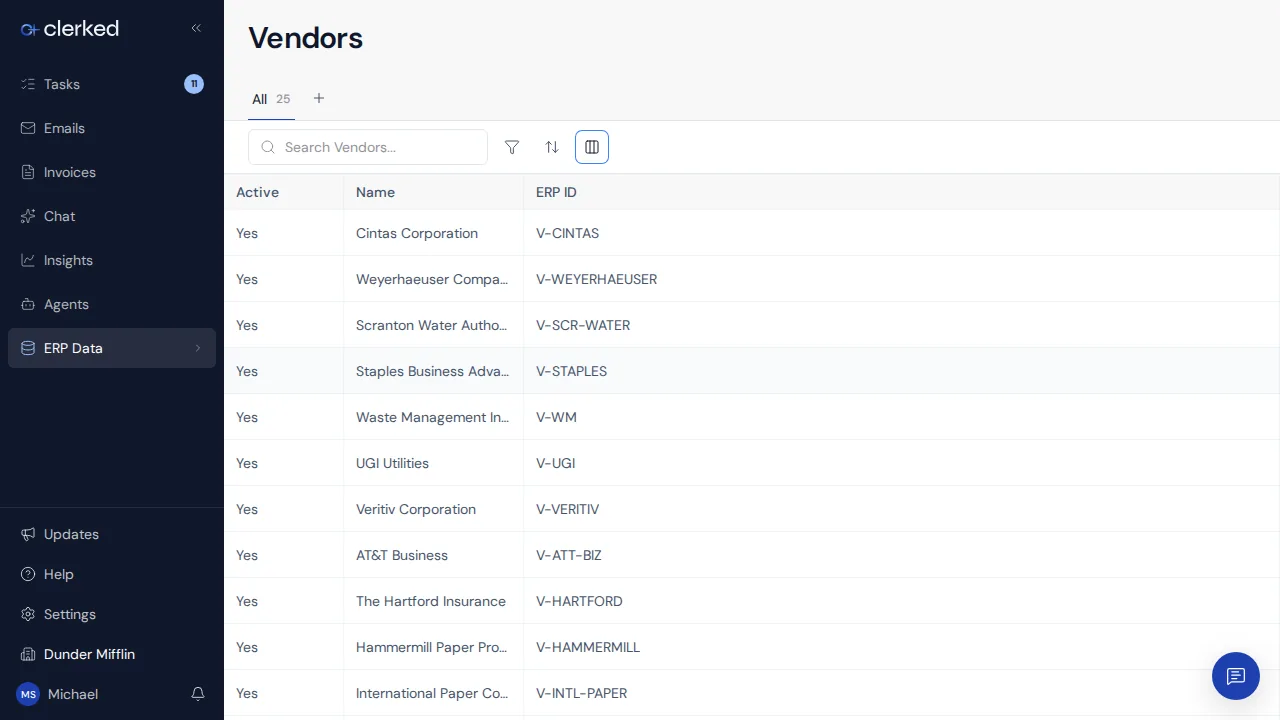
Find and inspect a record
-
Search with a business value. Use a name, external identifier, or another searchable value shown for the record type. Searchable fields can differ by company.
-
Narrow and arrange the list. Add filters, sort by a useful column, and choose which columns to show. Clear stale filters when a known record is missing.
Locked filter chips show the conditions the selected view applies. They stay in place while you add or clear your own filters.
- Open the row. The detail page shows the fields and relationships available for that record. Use related records to understand the connected context around a vendor, purchase order, or receipt.
Know where to make a change
ERP Data is reference context synchronized from a connected system. Update the owning ERP when a source record is wrong. Make invoice coding, matching, or approval decisions in the invoice workspace.