
Use Insights
Choose a company and period, understand the summary, and open the records behind it.
Choose the scope and period
Insights respects the companies and business scope assigned to you. Start by choosing the organization or company scope that you want to understand, then choose This month, Last month, This quarter, YTD, Last 12 months, or a custom period when available.
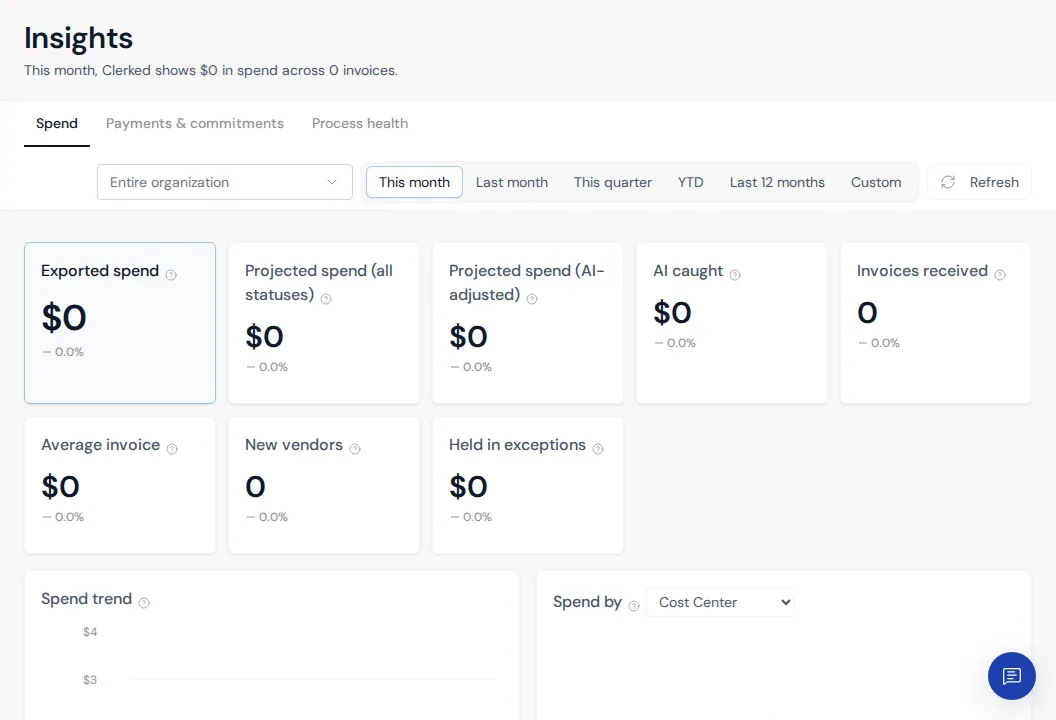
Read Insights from summary to detail
-
Choose a section. Spend covers exported and projected spend. Payments & commitments covers supported obligation views. Process health covers volume and operational outcomes.
-
Read the metric name and help text. Similar-looking measures can use different populations. For example, exported spend is not the same as projected spend across every invoice state.
-
Compare the change indicator. A percentage compares the selected period with its configured comparison period. A dash means the comparison cannot be calculated from the available data.
-
Use the breakdowns. Trend charts and “Spend by” views explain where the total comes from. Select a different visible dimension to answer a different business question.
-
Open supporting records when available. Verify the qualifying invoices before sharing or acting on a number.
Resolve an empty result
Confirm the scope, period, and section. A valid zero can mean no qualifying records were exported or received during that period. If you know matching records exist, contact support with the exact scope, period, section, and metric name.