Browse vendors
The vendor directory is your list of every vendor your organization works with. It is the foundation for vendor matching, invoice processing, and payment routing.
Open ERP Data in the navigation, then select the vendor segment your company has configured. For example, one company may label this segment Vendors. See Browse ERP data for how these lists are organized.
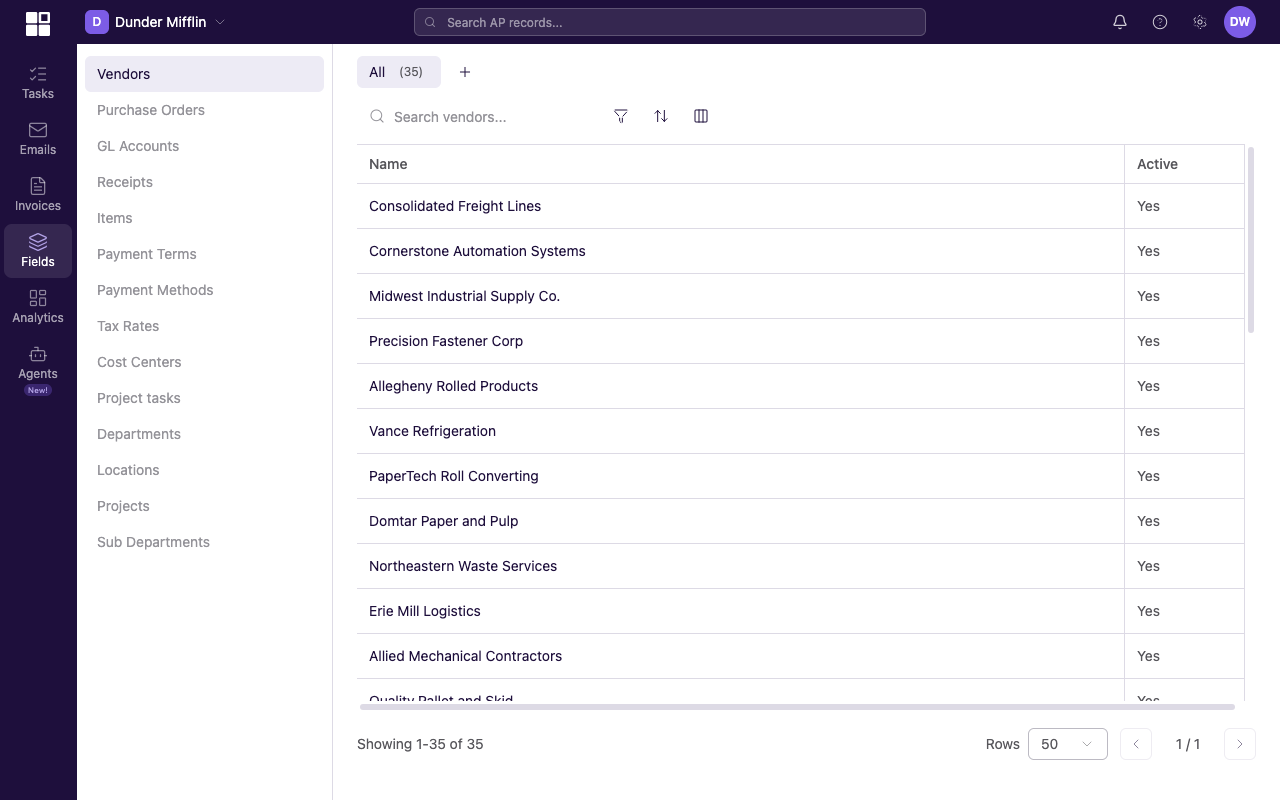
One company's vendor directory with Name, Email, and Active columns.
How vendors get created
Vendors enter Clerked two ways.
ERP sync (primary)
Vendors sync automatically from your connected ERP. This is the primary way vendors are created and updated. When a vendor is added, changed, or deactivated in your ERP, the change syncs to Clerked.
Agent-created from invoices
When a new invoice arrives from a vendor that is not in your directory, the agent creates a vendor suggestion. The suggestion requires your confirmation before a new vendor record is created. That prevents accidental duplicates and keeps the directory clean.
Read-only vs. editable fields
Most vendor fields are read-only because they sync from your ERP. Your ERP is the system of record, and the exact fields come from your company's vendor schema.
For example, one company might receive a vendor name, contact details, payment terms, and an active state from its ERP. Another company might also configure Clerked-specific fields for internal priority or categories. Treat these as examples, and edit a field only when your vendor page presents an edit control.
Vendor master data lives in your ERP. Clerked syncs it and layers AI features on top.
The vendor list
One configured vendor list might include the following columns. Your labels may differ.
| Example column | What it shows |
|---|---|
| Name | The vendor's business name. |
| Status | Active or Inactive (from your ERP). |
| Priority | The priority you assigned in Clerked. |
| Category | The tags you assigned. |
| Invoice Count | How many invoices Clerked has processed for this vendor. |
| Total Invoiced | The dollar total of invoices from this vendor. |
Search, filters, sort, and saved views use the shared list controls. See Search and filter vendors.
How vendors connect to items
Items sync from your ERP, typically against a specific vendor in your vendor master. That linkage matters in Clerked for two reasons:
- Line item matching on invoices and POs cross-references the item master so the agent can recognize known items by code or description.
- Price variance detection compares an incoming invoice's unit price against the unit price on the last approved invoice for the same vendor and item. Large swings trigger a price change detected notice.
If your ERP does not maintain item master records for a given vendor (for example, services billed by description only), Clerked still processes invoices; it just relies more on extraction and less on item-master lookups.